To start using WordPress to build your website, you need to buy web hosting that support PHP and MySQL. WordPress Hosting is usually the first thing you pay money for while building your online business. Though, some new WordPress users want to start their website without spending money and those must use Free WordPress Hosting or install WordPress on Localhost.
Why you shouldn’t use Free WordPress Hosting?
People always love FREE things, but if you are building a serious online business you must avoid free WordPress hosting. There are many reasons why WordPress free hosting is not good for online business or blogs. Those reasons include:
- Limited Hosting resources.
- Annoying advertisements.
- No customer support.
- Low Website security.
- No backup options.
- Unprofessional website domain.
- Account can be suspended anytime.
… plus many other issues that make using free WordPress hosting for your online business a bad idea. Yet, there are some cases in which using WordPress free hosting may be a wise idea.
When to use Free WordPress Hosting?
In some cases, using free hosting for WordPress may be a wise choice. In case you want to start a website instantly without spending a cent you may use free WordPress hosting. Also you can use it if you don’t have any previous experience with web hosting or WordPress and want to learn more about them. Generally, if you’re not serious about your online business, you can use free WordPress hosting, otherwise you should use premium WordPress Hosting.
Below I’ve listed a collection of the best free WordPress hosting providers that you can use for free to start your WordPress site or blog for free.
Best Free WordPress hosting providers of 2016
1. 000Webhost
000WebHost is one of the leaders of free web hosting. Search for “free web hosting” on Google, and they will appear at the top of the search results. $0.00 WebHost offers free web hosting with PHP, MySQL, cPanel, and a website builder.
The good thing is that they don’t display ads on your website. They also offer a 1-click WordPress auto-installer.
Free WordPress Hosting plan includes:
- Storage: 1.5 GB.
- Bandwidth: 100 GB.
- Domain: Free domain name hosting with Unlimited subdomains.
- Email: 5 Free E-mail accounts (IMAP/POP3).
- MySQL Databases: 5 databases.
- FTP accounts: 5 accounts.
- Auto Installer: Fantastico Autoinstaller (WordPress, Joomla…)
- Website builder: Easy to use Free Website Builder with hundreds of templates.
- Advertisements: No.
UPDATE: 000WebHost has been closed and no longer offers web hosting (free or premium).
2. AwardSpace

The second WordPress free hosting provider is AwardSpace. The company has offered free web hosting for more than 10 years. The company offers an auto WordPress installer that allows you to set up WordPress with a few clicks.
WordPress Free Hosting plan includes:
- Storage: 1 GB.
- Bandwidth: 5 GB.
- Domain: 1 Free domain with 3 subdomains.
- Email: 1 Free E-mail account (SMTP, Webmail, POP3) + Spam Filter.
- MySQL Databases: 1 database.
- FTP accounts: 1 account.
- Auto Installer: WordPress and Joomla installer.
- Website builder: No.
- Advertisements: No.
3. x10Hosting

x10Hosting is a leading free WordPress Hosting provider. They offer free cloud hosting with Solid State Drives (SSDs), which many premium hosting providers charge for!. They also offer cPanel hosting with the latest PHP & MySQL versions.
x10Hosting offers a 1-click software installer that allows you to install 300+ software right from your cPanel, including all popular scripts (WordPress, Joomla, MyBB,…).
Free WordPress Hosting plan includes:
- Storage: Unlimited.
- Bandwidth: Unlimited.
- Domain: 2 add-on domains, 2 subdomains, and 1 parked domain.
- Email: 3 Free E-mail accounts.
- MySQL: Yes.
- FTP access: Yes.
- Auto Installer: 300+ scripts, including WordPress, Joomla, and MyBB installers.
- Website builder: Yes, with more than 150 free site templates.
4. Byet.host
Byet Host is a well-known Free WordPress hosting provider. Generally, they offer Free Web hosting for all sites with some features that are usually provided by premium web hosts only. Byet.host offers fast web hosting with their fast servers and Dedicated SSD-powered MySQL servers.
Installing WordPress on Byet.host free web hosting is easy, thanks to the Softaculous auto installer that you can only find in premium WordPress hosting providers. The installer allows you to install WordPress on Byet host free hosting with some clicks.
WordPress Free Hosting plan includes:
- Storage: 1 GB.
- Bandwidth: 50 GB.
- Domain: 5 addon domains, 5 parked domains, and subdomains.
- Email: 5 Free E-mail accounts with email forwarders.
- MySQL Databases: 5 databases.
- FTP accounts: 1 account.
- Auto Installer: Softaculous 256 script installer including WordPress, Joomla, etc.
- Website builder: Yes, with a good number of templates.
- Advertisements: No.
5. biz.nf
Biz.nf is a green, free web hosting provider. They offer an easy-to-use free WordPress hosting service with a 1-click WordPress installer. Biz.nf uses a good subdomain for new accounts; your website domain will look like example.co.nf.
They allow you to host up to 4 websites on the same free WordPress hosting account. They’re also one of the few hosts to offer free PHP 7 WordPress hosting (you can choose between PHP 5 or PHP 7).
Free WordPress Hosting plan includes:
- Storage: 1 GB.
- Bandwidth: 5 GB.
- Domain: 1 Domain, 3 subdomains, and 3 Free domain (.co.nf).
- Email: 1 Free E-mail account (SMTP, Webmail, POP3, IMAP, ) + Anti-SPAM, and Virus Protection.
- MySQL Databases: 1 database (10 MB).
- FTP accounts: 1 account.
- Auto Installer: WordPress and Joomla installer.
- Website builder: Yes, Zacky Site Builder.
- Advertisements: No.
6. HostAwesome
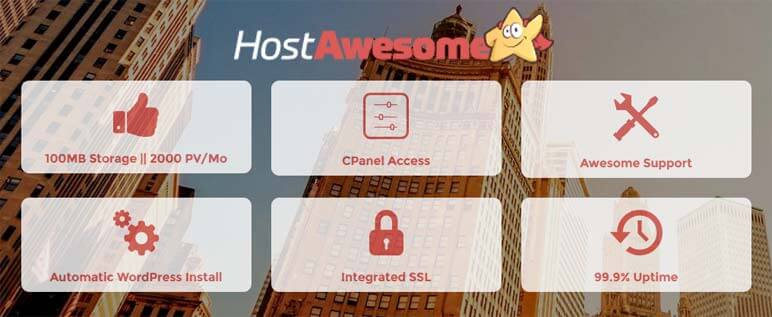
HostAwesome is a WordPress hosting company that offers both premium WordPress hosting and Free WP hosting. Their Free WordPress hosting plan includes 100MB Disk Storage, 2000 views monthly, cPanel access, Automatic WordPress installation, Integrated SSL, and more.
HA also offers premium WordPress hosting starting from $4/Mo if you want to upgrade your hosting plan. You can use a TLD name with their free hosting or use their free subdomain awesomesites.io. You can also add an extra 200MB of disk space to your hosting account for a one-time fee of $25.
WordPress Free Hosting plan includes:
- Storage: 100MB.
- Bandwidth: 2GB/Mo.
- Domain: 1 TLD domain or 1 free subdomain.
- MySQL Databases: 1 database.
- Auto Installer: Automatic WordPress install.
- Advertisements: Optional, powered-by link in the footer.
Final Word: Don’t rely on Free WordPress Hosting!
You should use free WordPress hosting for learning and testing purposes ONLY. If you’re serious about your new online business you should use premium WordPress hosting. Free hosting is untrustworthy and unreliable, so don’t waste your time and efforts and buy premium hosting instead of free hosting.
If you have any issues or want to add anything, don’t hesitate to use the comments below!
Hey bro thanks for the detailed step by step guide, i also try 000webhost and accuwebhosting. Keep it up very good list of free webhosting services.
I have Also worked with several webhostings but Awardspace is the best free hosting provider
thanks for share bro
avoid 000webhost like the plague for wordpress free hosting. i had a fresh uploaded wordpress blog that i hadn’t even added anything to it yet and all i ever got with them were database errors and my site was never up a whole day without a database crash. they offer a wordpress installer but their servers cannot handle actually running a wordpress site.
I do not recommend using any free wordpress hosting. Instead, you can take a look at some quality and cheap Linux VPS providers such as rosehosting. I have a server with them and I think it is the best option for a small budget.
Thanks.
You’re right Lukas, Free WordPress hosting is not a recommended choice in many cases. But I don’t think it is a wise choice for a beginner to use a VPS for his website, instead he can use Shared hosting.
Thanks for stopping by.
Add wordplus.host also! They offers fully featured free plan for personal blog hosting!
I’m wondering if I do start with free website hosting and do okay, if I’ll be able to transfer it to premium website hosting without any glitches? Do you know if any of your suggested sites will allow me to do this and if I’ll be able to put ads for businesses on them to generate the money I need? I’m also wondering if I can do referrals easily to other peoples blogs and if I get paid for it if I do? Im extremely new to this. It seems much , ore technical than I expected. I started a blog on a free WordPress template but it kept erasing whole paragraphs so I’m not even sure what I should do to prevent that from happening again. I plan on using Bluehost as soon as I can afford to. I just dont have the money available now due to trying to fix my vehicle and running into lots of issues with it. It kept me from working recently so now I’m broke.
Thanks for stopping by Judy!
I hope you fix your vehicle SOON.
As I mentioned in my article, Free hosting is NOT the best hosting choice. Yet, some people especially those who can’t afford cost of premium hosting can use it especially if they’re beginners and want to know how stuff works before starting their own online business on premium hosting.
So, my suggestion for you is to start using free WordPress hosting and build your WordPress blog and start learning how to use WordPress and get familiar with managing a WP site, so that when you move to premium WordPress hosting like Bluehost and SiteGround you focus only on writing high-quality content.
But I still NOT recommending using free hosting if you care about your website as they’re not trustworthy and your website can be deleted anytime. Also you can put ads on your website and monetize your content in all legal ways like displaying ads, adding affiliate links, and referring people to other blogs and companies. But, make sure that your chances to get advertisers for a free-hosted website is very low.
Also, many free hosting providers including these companies in the article all what you need to do is upgrading your hosting plan from free to paid or premium plan from your hosting account or by contacting the company’s support team.
But remember, It’s not always a good idea to build a website on free hosting.
If you’re looking for a good, and cheap WordPress hosting company read this article: Best WordPress hosting